Posts

Showing posts with the label DOS

EtherDFS and DOS packet drivers

 A good while back, I ordered an ISA network card for my socket-5 Pentium machine.  Finally today I managed to get it working with EtherDFS .  Finding the right steps involved a lot of web searching. First, I had to figure out exactly what model the card was.  Thankfully, it says it right on the chip: RTL8019AS .  I have spewed much bile about Realtek and their crappy audio drivers before now, but I was seriously impressed that they still had a page where I could download the packet driver for this ancient NIC. As far as I can tell, there are two types of NIC drivers for DOS-era machines: an NDIS type for Windows things, and a 'packet' driver with an open interface.  EtherDFS needs the packet drivers, and I don't care for Windows guff, so I'm happy with just that. I found a page at legroom.net which had the info I needed to install the packet driver.  That page has a whole wealth of stuff, but the bit I needed told me to save the packet driver (pnppd....
Faster Mode-X Sprite Rendering

Back in June, I made a sprite rendering system for DOS/VGA Mode-X.  Running it on a pcem 386 showed that the sprite clipping code was hella slow . So I decided to rip out the clipping code.  To allow sprites to overlap the screen boundary, I set up the VGA display registers to have a 32px off-screen border around the display. The system still splits the sprite into separate planes, and it still works by skipping some pixels then drawing some. It works across a scanline (within a single plane) so I can use rep movsb.  It also hard-codes the scanline width into the number of pixel bytes to skip - that's so I don't have to multiply the display width by the number of scan-lines to skip.  That means my game can only run in a single screen resolution, but it's only going to run in Mode-X so that's not a problem. Another tweak is that as much as possible, it loads 16-bits of data at a time.  This should make better use of the bus, which can be an issue with the 386SX....

DOS Coding: Sound Blaster sound

SB Documentation link . BASE_PORT = the base I/O port the SB is listening on (most often 0x220, but see 'detecting the card' below) Single vs Auto mode: For single transfer playback, you don't really need the Interrupt Service Routine. I've shifted to auto-initialise mode because I was getting clicks between each transfer. For auto-initialise mode, you set up the DMA for the whole buffer, but tell the SB/DSP it's half the buffer size.  That way, once the first half is transferred, you get an interrupt to say you can overwrite the first half.  Then when the whole lot is transferred, you get another interrupt to say you can overwrite the second half.  (By that time the DMA has already auto-reset back and started transferring the first half of the buffer) Step 1: setting up sb_read() and sb_write() subroutines You should really check if the soundblaster is ready before reading or writing. Seeing as you need to write and read to detect/reset the card, these really come ...

VGA Mode-X Sprite Rendering

As part of my SilkWorm project, I've got a transparent sprite-rendering system going. It's over-complicated, but it works quite quickly.  I'm writing this more as a reminder to my future self than as a HOWTO, so I'll not go into the gory details. The system is inspired by a really nice idea from StaticSaga and 36rKATPURPY on the Discord server linked to a DOS game jam .  Their system is simpler and more data-efficient.  My code is clunky but for the moment seems to work, so I'm leaving it as is until it breaks or needs speeding-up. The problem Mode-X stores pixel data in planes.  It can use VGA hardware to copy 4 pixels at a time, but only on 4px-aligned boundaries.  Michael Abrash' Black Book covers one method of how to do transparent sprite rendering without the 4px alignment, but it involves uploading 4 copies of each sprite to VGA RAM, and setting the plane mask for every 4-pixel copy.  To me, this seemed like a waste of VGA RAM, and any speed boost w...

Deus Heist

Image
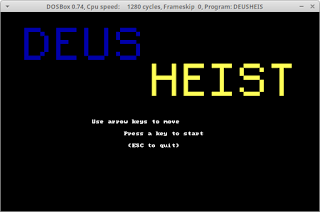
I managed to make a playable level of a DOS heist game . It's a text-based game, built for 16-bit DOS, so in theory , it should run on a 286 (albeit as slow as a sedated two-legged dog).  I haven't had any time for optimising it, and the code is hideous, but it is  technically playable. The main feature is the visibility check, modelled on the game Monaco: What's Yours is Mine . It scans out from the player, checking if a cell blocks line-of-sight or not.  I made it fairly efficient by splitting the check into quadrants (N, E, S, W) and scanning cells between two edge-lines.  If it encountered an opaque block, it would split the scan up and recurse. On DOSBox, it gets a little slow when you can see a lot of the screen.  I imagine on a 286, this would crawl.  However, the game world does not change at all in the current version, so there are no guards going to creep up on you while you're lagging. I could also help things by designing the map...

Dos tidbit: register-based Watcall parameter order

It has occurred to me that in the course of writing DOS programs (some of which even work!), I spend an awful lot of time searching through documentation.  Which is, you know...fine.  It's part of the charm of retro coding. However, this ancient source has an inaccuracy which has bitten me twice (the second time because I forget about 99% of what I read).  Not that I bear the author any ill-will - if a document as detailed and comprehensive as that contained no inaccuracies at all, I would be worshiping the author as some kind of god.  It might even have been accurate at the time of writing (2010CE).  There's plenty more in that site which I intend to dig through and learn from as well. Anyway.  What bit me: When using register-based watcall* to call an asm procedure from C/C++, 16-bit parameters are passed in this order: AX, DX , BX, CX.   *in OpenWatcom V2 at time of writing. As I read it, the document says it is in the order AX, BX, CX, DX...